Error Log Monitor
Whether you’re using WordPress for development or simply as a blog or CMS, it is always a good idea to keep an eye on your PHP error log.
- As a developer, it helps you notice and fix errors in your code.
- As a normal user, it lets you discover plugin bugs, WordPress compatibility issues and other problems that may be affecting your site, so that you can fix them before they seriously hurt your readers and your search engine rankings.
That’s why I’ve created Error Log Monitor – a plugin that lets you easily view the most recent messages from your PHP error log in your Dashboard, and can even send you automatic email notifications about new errors.
Features
- Dashboard widget displays the most recent messages from your PHP error log.
- Automatically detects the location of the log file.
- Provides instructions for setting up error logging if it’s not enabled yet.
- Periodically checks the log for new errors and emails them to you.
- Configurable email address and email frequency (from every 10 minutes to weekly).
- Configurable number of lines to display.
- Lets you easily clear the log file.
- The dashboard widget is only visible to administrators.
Screenshots

The PHP error log Dashboard widget with some error messages
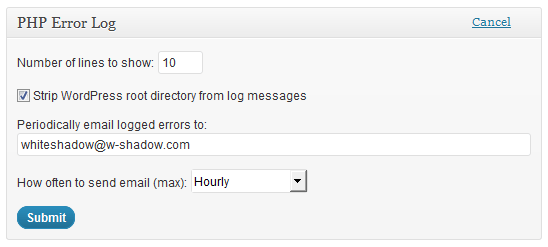
Widget configuration screen
Download
Download the latest version from WordPress.org
The plugin requires WordPress 4.5 or later.
Installation
- Upload and activate the plugin as usual.
- Go to your Dashboard and enable the “PHP Error Log” widget through the “Screen Options” panel.
- The widget should automatically display the last 20 lines from your error log. If you haven’t configured error logging yet, it will instead display instructions on how to do that.
- (Optional) To enable email notifications, go to widget configuration and enter your email address in the appropriate field.
- That’s it.
Notes
Before writing this plugin, I researched and tried a number of existing error reporting plugins. Unfortunately, most of them were either seriously out of date (no updates for more than two years), or didn’t support email notifications, which was the main feature I was looking for. So I decided to build my own.
Related posts : Subscribe via RSS
 Get Updates by Email
Heya, just want to highlight that using ‘Off’ and ‘On’ with ini_set is not recommended, because strings can be misinterpreted. Especially, ‘Off’ string can be misinterpreted as true (when auto-cast to boolean). The recommendation is to use ‘0’ and ‘1’ instead, as ‘0’ will be correctly interpreted as false when auto-cast to boolean. This is regarding the setup instructions you provide when a log file is not detected. @ini_set(‘log_errors’, ‘On’); should be @ini_set(‘log_errors’, ‘1’);. @ini_set(‘display_errors’, ‘Off’); should be @ini_set(‘display_errors’, ‘0’);. It should be noted that while PHP will disable the option with ‘Off’, there are many many plugins that do if (ini_get(‘display_errors’)) or if (!ini_get(‘display_errors’)) and that’s where the misinterpretation can happen. That’s why it’s better to use ‘0’ instead.
That seems like a good idea. It looks like WordPress core uses 0 and 1 when setting display_errors/log_errors, so I’ll switch to doing that in the next plugin update.